
Free Circleboom Alternative for Mass Unfollow on Twitter (X)
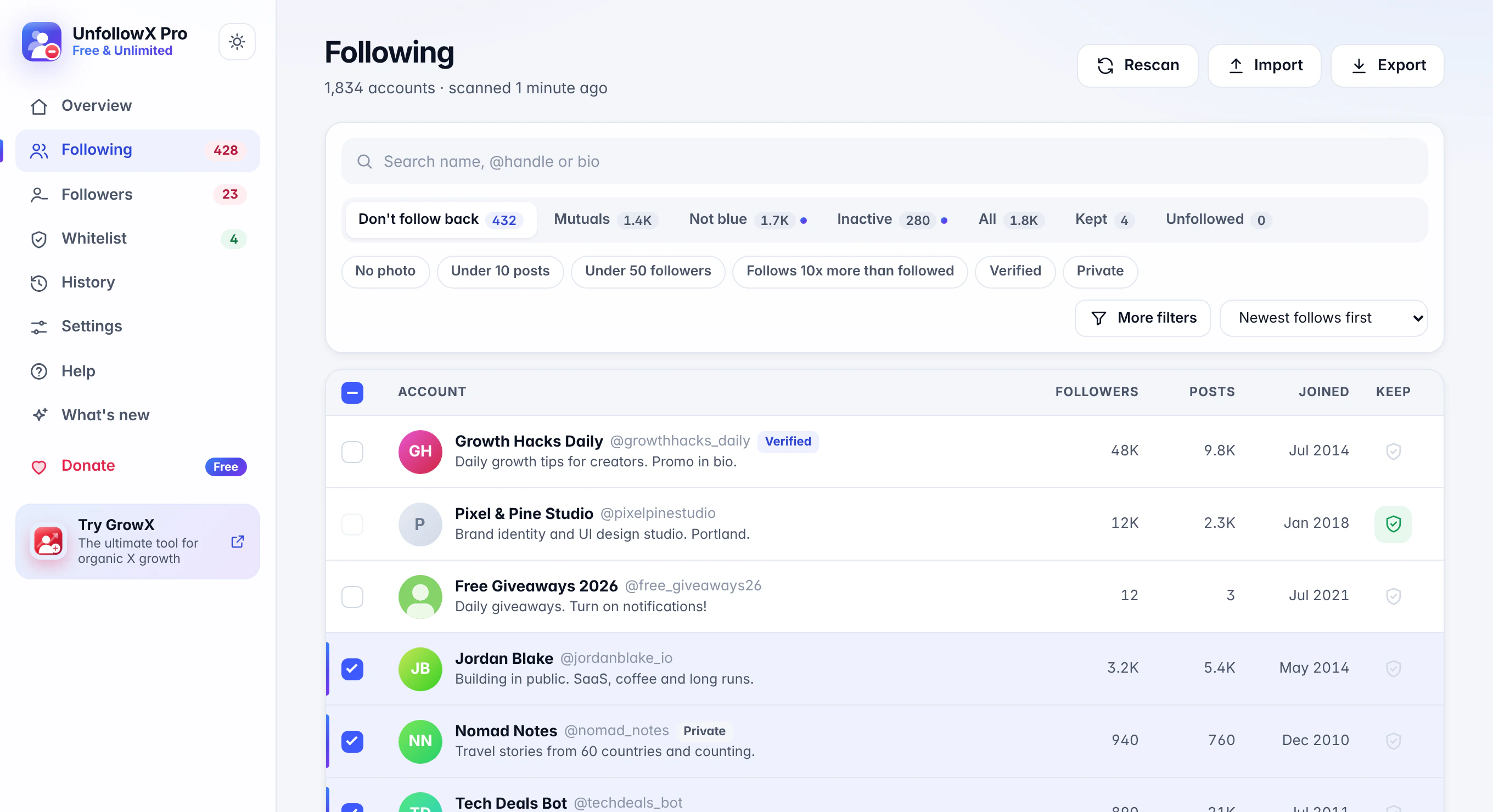
If all you need from Circleboom is cleaning up who you follow, UnfollowX Pro does that job for free: a Chrome extension that finds non-followers and inactive accounts and lets you mass unfollow on Twitter (X) at a safe pace — no password, no subscription.
UnfollowX Pro vs Circleboom for unfollowing
A factual comparison for one job: managing who you follow on X. Circleboom details come from its public pricing and help pages as of November 2026 and may have changed; anything we couldn’t confirm says so.
| Feature | UnfollowX Pro | Circleboom |
|---|---|---|
| What it is | A Chrome extension focused on your following list | A web-based social media management tool (Twitter/X and other networks) |
| Price | Free forever — no paid tier, no trial | Free plan with limits; paid plans for more (see Circleboom’s pricing page) |
| How it reaches your account | Inside the X session already signed in to Chrome; never asks for your password | You connect your X account to Circleboom’s web app (check the permissions it requests) |
| Find non-followers and inactive accounts | Yes — Don’t follow back, Mutuals, Inactive 30d / 90d / 180d / 1y, Not blue | Yes (check Circleboom’s site for current filters) |
| Whitelist | Included, respected in every mode, plus Keep rules | Listed by Circleboom’s help center as not included in the free plan |
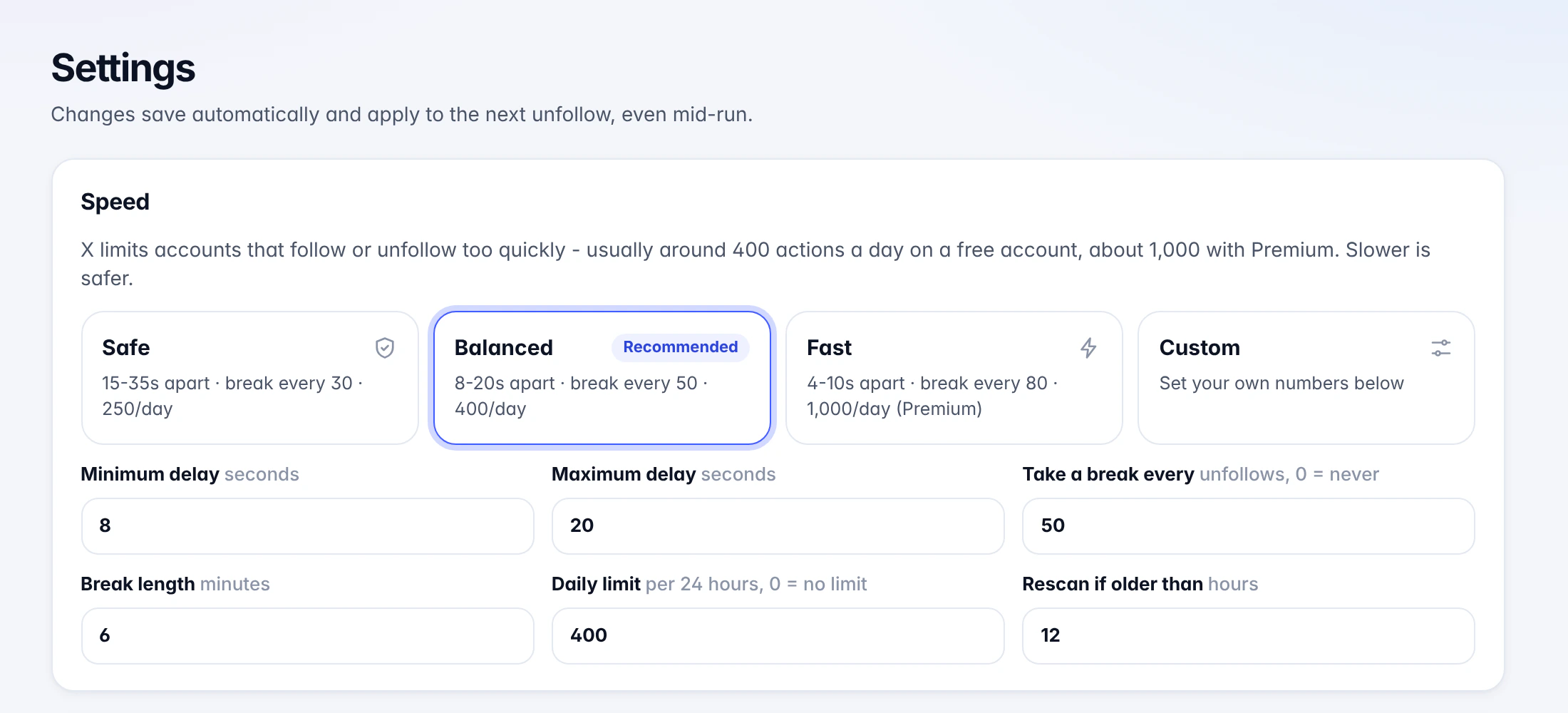
| Pacing | Random delays, breaks and a daily limit you set (400 by default); rests or stops when X asks | Up to 800 unfollows per 24 hours (50 per 15 minutes), per its help center (checked Nov 2026) |
| Where your lists are kept | Chrome extension storage on your computer | Processed by Circleboom’s online service (see its privacy policy) |
| Undo | History with Follow again | Check Circleboom’s site |
| Posting, scheduling, analytics | No — following management only | Yes — part of its wider toolset |
| Works on phone | No — desktop Chrome 116+ | In a browser (check Circleboom’s site for mobile apps) |
Circleboom is a trademark of its owner. UnfollowX Pro is not affiliated with Circleboom or X Corp.
Choose UnfollowX Pro if…
- You mainly want to unfollow non-followers, inactive or low-quality accounts
- You want every feature free, with no plan limits
- You’d rather not connect your account to an online service
- You want a whitelist and Keep rules protecting every run
Circleboom may suit you better if…
- You also want post scheduling and analytics in the same tool
- You manage several social networks, not only X
- You need to work from a browser where you can’t install extensions
Switch in three steps
- Install UnfollowX ProAdd the free extension from the Chrome Web Store and open x.com in Chrome while signed in. There is no account to create.
- Scan and protectPress “Scan my following”, then whitelist the accounts you always want to keep and turn on any Keep rules you need.
- Review and unfollow at a safe paceFilter the list, select the accounts to remove and start a paced run. If you no longer use another tool, remove its access in X’s settings under connected apps.
Circleboom alternative FAQ
Is UnfollowX Pro really a free Circleboom alternative?
For following management, yes. UnfollowX Pro is free forever with no paid tier: non-follower and inactive filters, whitelist, Keep rules, CSV, history and paced bulk unfollow are all included. It doesn’t replace Circleboom’s posting, scheduling or analytics tools.
Do I have to connect my X account or share my password?
No. UnfollowX Pro runs inside the X session you are already signed in to in Chrome. It never asks for your password and has no account system of its own.
Can I use UnfollowX Pro and Circleboom together?
Yes, they don’t conflict. Avoid running bulk actions in both at the same time, though: X counts every action on your account, whichever tool makes it.
Will switching tools change X’s limits?
No. X applies the same limits and rules to every account whatever tool you use, and no tool can guarantee X will never limit an account. UnfollowX Pro paces runs with delays, breaks and a daily limit, rests when X asks it to slow down and stops if X asks you to verify.
How accurate is this comparison?
We make UnfollowX Pro, so we are not neutral. Circleboom details come from its public pricing and help pages as of November 2026 and may have changed. We don’t quote prices; check Circleboom’s own pricing page.
Compare and learn more
Best Mass Unfollow Tools for Twitter (X) in 2026
Compare mass unfollow tools for Twitter (X) in 2026: pricing model, how each accesses your account, pacing, whitelist protection and data handling.
Read articleHow to Mass Unfollow on Twitter (X) Without Losing the Accounts You Value
A review-first guide to mass unfollow on Twitter (X): pick the right group, protect important accounts, set a sensible pace and stay within X’s limits.
Read articleHow to See Who Doesn’t Follow You Back on X (Twitter)
Three ways to find accounts that don’t follow you back on X — manually, with X’s own data, or with a free Chrome extension — plus what to do with the list.
Read articleAlso see the mass unfollow tool, the non-followers checker and all features.
Clean up who you follow — free.
A focused, free alternative for unfollowing on Twitter (X). No password, no subscription, whitelist always respected.
No sign-up · No X password · No premium plan